
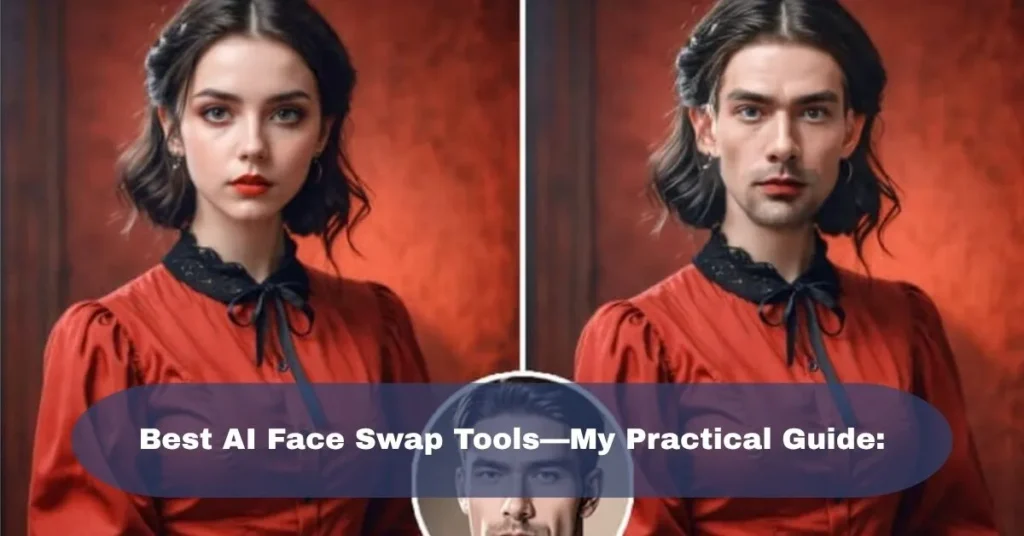
The first time I tried an AI face swap, I honestly expected it to look terrible.
I picked a normal selfie, uploaded another face, and waited for the result. The first version was surprisingly good from a distance—but when I zoomed in, I noticed exactly what the AI had struggled with: the skin tone was slightly off, the face edges looked soft, and the lighting didn’t quite match.
That experience taught me something important.
The quality of a face swap depends just as much on the photos or video you give the tool as it does on the AI itself.
Since then, I’ve tried different types of AI face swap tools for photos, short videos, social media content, and creative experiments. Some are incredibly simple, while others give you much more control but require a stronger computer and more patience.
So, instead of simply throwing a list of tools at you, here’s how I would approach AI face swapping in 2026.
What Makes a Good AI Face Swap Tool?
Before choosing a tool, I look at a few things.
First is face quality. The replacement face should look naturally connected to the original image rather than appearing like a sticker placed over someone’s face.
Then there’s lighting.
This is one of the easiest ways to spot a bad face swap. If the original person’s face is brightly lit from the left but the replacement face has completely different shadows, the result can look strange.
For video, there’s another problem: consistency.
A photo only has one frame to get right. A video might have hundreds or thousands. The face needs to remain stable while the person moves, turns their head, blinks, or changes expression.
I also check:
- Photo and video support
- Multiple-face support
- Output quality
- Processing speed
- Watermarks
- Free-plan limitations
- Ease of use
- Privacy and uploaded-file policies
- Commercial-use restrictions
These details matter much more than a tool simply saying “AI-powered.”
Best AI Face Swap Tools:
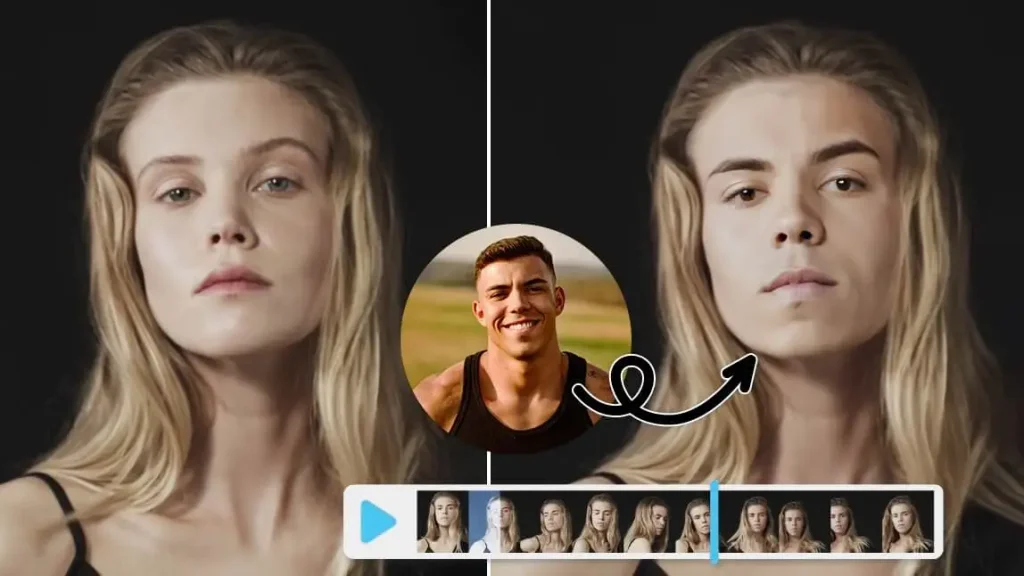
There isn’t one tool that makes sense for every situation. These are some of the options worth looking at, depending on what you’re actually trying to create.
1. Reface—Great for Quick Social Content:
Reface is one of the easiest options if your main goal is entertainment and social media content.
The workflow is simple: choose a template or media, provide your face, and let the app handle the replacement.
That’s what makes Reface particularly useful for beginners. You don’t need to understand masking, tracking, compositing, or complicated video-editing settings.
I’ve found this type of tool much more convenient when the goal is something quick rather than a carefully controlled production.
Where Reface works well:
- Short social media videos
- Memes
- GIF-style content
- Fun photo edits
- Quick experiments
- Mobile editing
The downside is that template-based tools don’t always give you the same level of control as dedicated desktop software.
If you want to use your own complicated video and carefully control every part of the result, you may eventually want something more advanced.
2. Remaker AI—Useful for Quick Browser-Based Swaps:
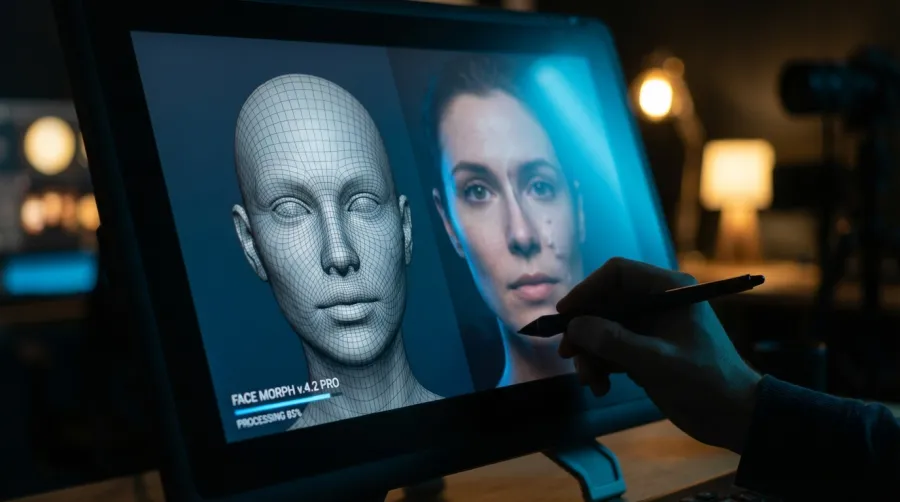
Remaker AI is another option worth considering if you don’t want to install complicated software.
It provides browser-based AI editing tools, including face swapping for images and video.
The biggest advantage here is convenience.
You can work from a normal browser instead of setting up a local AI environment.
That makes it particularly useful when you’re experimenting with different ideas and don’t want to spend an hour configuring software before making your first result.
I would consider Remaker for:
- Portrait experiments
- Social media images
- Creative edits
- Short video projects
- Testing different face-swap ideas
One thing I’d watch carefully is the credit system and output limitations before starting a larger project. AI tools frequently change their free limits and paid plans, so check the current plan before purchasing anything.
3. FaceFusion—For People Who Want Local Control:
This is where things become more interesting.
FaceFusion is designed for users who want more control over the process and are comfortable working with software locally.
Unlike a simple website where you upload a photo and wait, a local workflow can give you more control over how the processing happens.
That’s especially interesting if privacy is one of your main concerns.
However, there’s a trade-off.
FaceFusion isn’t the sort of tool I’d recommend to someone who simply wants to make a funny face-swap video in five minutes.
Installation and configuration can be considerably more technical than using a browser-based service. Your computer hardware also matters.
If you’re comfortable with AI tools, GPUs, installations, and troubleshooting, however, local software can be much more flexible.
Best suited for:
- Advanced users
- Experimentation
- Local processing
- More control over your workflow
- Users comfortable with technical setup
If you’re completely new to AI editing, I’d start with a browser-based option first.
4. Vidnoz AI—Beginner-Friendly Online Option:

Vidnoz offers a wider AI video platform that includes face-swapping capabilities.
I like this type of platform for beginners because you’re not necessarily limited to one feature.
If you’re already experimenting with AI video, avatars, voice generation, or other content tools, having several functions in one place can be convenient.
Face swapping is only one part of the overall workflow.
Good for:
- Beginners
- AI video experiments
- Social content
- Marketing experiments
- Quick browser-based projects
The free version can be useful for testing, but don’t assume that every feature or export option will remain unlimited. Free AI services often have restrictions around credits, resolution, or exports.
5. AKOOL—More Focused on Professional Content:
AKOOL is more interesting if you’re thinking beyond memes and personal experiments.
The platform focuses heavily on AI-generated media and business-oriented content, including face swapping and related video capabilities.
This type of tool makes more sense when you’re working on marketing content, advertisements, creative campaigns, or other professional projects.
For example, imagine creating several variations of a promotional video for different markets. An AI face-swap workflow can potentially reduce some of the manual editing involved.
But there’s an important distinction:
Don’t confuse AI face swapping with a complete video-production workflow.
You may still need a proper editor such as Premiere Pro or DaVinci Resolve for cutting footage, adding sound, captions, transitions, and final color adjustments.
6. DeepSwap—Worth Considering for Video and Multiple Faces:
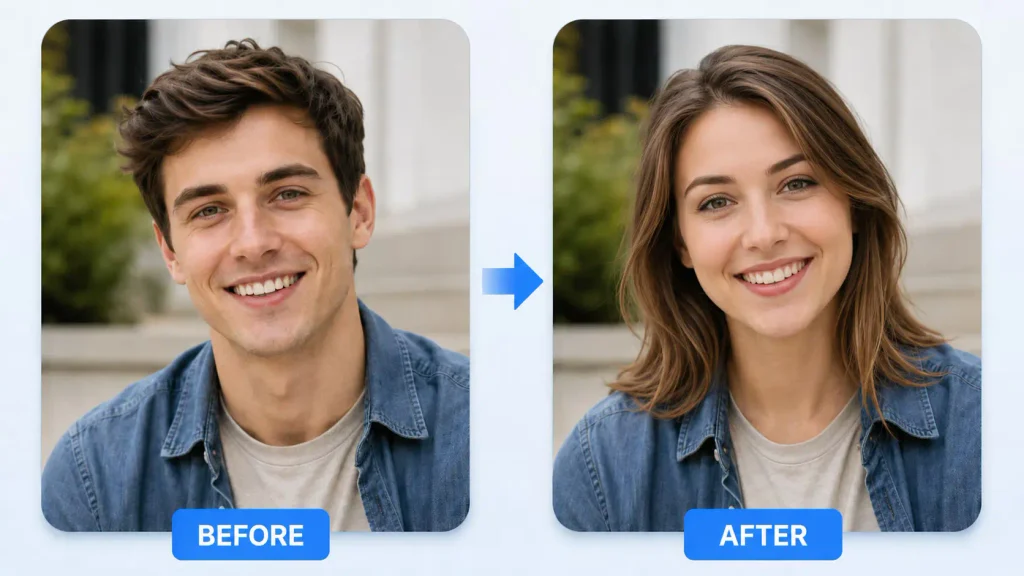
DeepSwap is another browser-based option aimed specifically at face replacement.
One reason tools like this can be useful is that video face swapping becomes significantly more complicated when there are several people in a scene.
A single-person selfie video is relatively straightforward.
A group video is another story.
Faces can overlap, people can turn around, someone can temporarily leave the frame, and the AI has to keep track of which face belongs to which person.
That’s why I’d test a tool with a short sample clip first instead of immediately uploading a five-minute video.
It can save you credits, time, and frustration.
How I Get Better Face Swap Results:
Here’s probably the most useful part of this entire guide.
If your face swap looks bad, don’t immediately blame the AI.
Check the source image first.
1. Use a Clear Face:
A good source face should ideally be:
- Sharp
- Well lit
- Clearly visible
- Free from heavy motion blur
- Not heavily covered by sunglasses or objects
- Similar in angle to the target face
A straight-facing portrait usually gives the AI an easier job than a face photographed from an extreme angle.
2. Match the Camera Angle:
This is one of the mistakes I made early on.
I used a straight-on selfie and tried placing it into a photograph where the person was looking sideways.
The result wasn’t unusable, but it definitely looked artificial.
Try to match:
Face angle → Head position → Expression → Lighting
The closer these are, the easier it is for the AI to produce a believable result.
3. Pay Attention to Lighting:
Imagine taking a photo indoors under a warm yellow lamp.
Now take the replacement face outdoors in bright daylight.
Even if the faces are high quality, putting them together can create an obvious mismatch.
Whenever possible, use source images with similar lighting.
This small detail can make a surprisingly big difference.
How to Face Swap a Photo:
Most online AI face-swap tools follow roughly the same process.
Step 1: Choose your target image.
This is the image where you want the new face to appear.
For your first test, use a simple portrait with one clearly visible face.
Step 2: Upload the replacement face.
Choose a high-quality image of the person whose face you’re using.
Avoid extremely dark, blurry, or heavily filtered selfies.
Step 3: Select the face.
Some tools automatically detect it. Others let you manually select the face.
Step 4: Generate the result.
The AI will process the image and create the swapped version.
Depending on the platform and settings, this may take anywhere from a few seconds to several minutes.
Step 5: Zoom in.
Don’t just look at the image as a thumbnail.
Zoom in around:
- Eyes
- Nose
- Mouth
- Jawline
- Hairline
- Ears
- Skin edges
That’s where many imperfections become visible.
How to Face Swap a Video:
Video requires a little more patience.
Start with a short clip, ideally only a few seconds.
Upload the target video and replacement face according to the tool’s workflow.
After processing, watch the entire clip rather than checking only the first frame.
Look for:
- Face flickering
- Sudden changes in skin tone
- Misaligned eyes
- Strange mouth movement
- Face distortion during head turns
- Problems when another person enters the frame
One of my biggest lessons with AI video is that the first few seconds can look perfect while a later section completely falls apart.
Always watch the complete output.
Why Some AI Face Swaps Look Fake:
There are a few common reasons.
Poor source image:
A low-resolution face gives the AI less information to work with.
Different facial angles:
A front-facing source face doesn’t always transfer naturally onto a profile photograph.
Different lighting:
This can make the face look pasted onto the original person.
Heavy movement:
Video becomes harder when the subject moves quickly.
Occlusion:
Hands, hair, glasses, microphones, and other objects can temporarily cover parts of the face.
Excessive editing:
Beauty filters and heavily processed selfies can sometimes make the source face less useful than a normal, clean photograph.
Photo Face Swap vs. Video Face Swap:
If you’re deciding which type to start with, I’d recommend starting with photos.
They’re much easier to evaluate.
| Feature | Photo Face Swap | Video Face Swap |
| Difficulty | Easier | More difficult |
| Processing | Usually faster | Usually slower |
| Consistency | One frame | Many frames |
| Hardware demand | Lower | Higher |
| Common problems | Lighting and edges | Tracking and flickering |
| Best for beginners | Yes | After some practice |
Once you’re comfortable with photos, move to short videos.
What About Face Swapping on a MacBook?
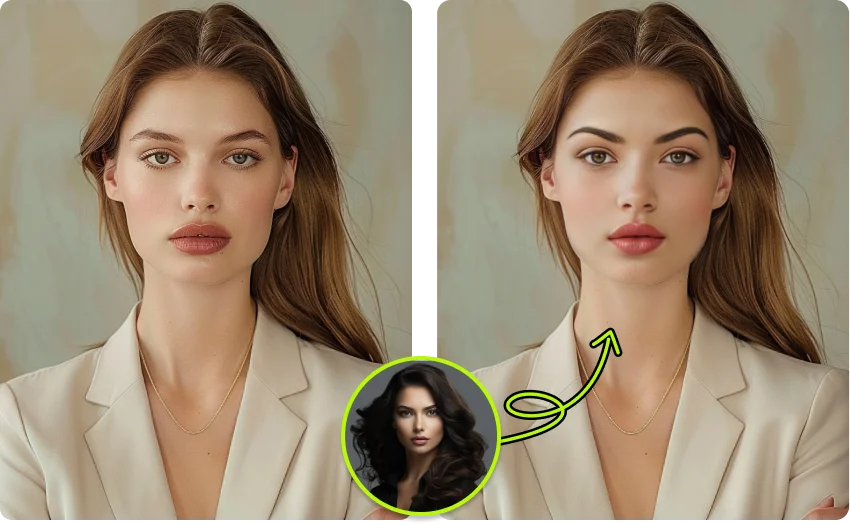
If you’re using a MacBook, browser-based tools are usually the easiest place to start because you don’t need to configure a local AI environment.
For heavier local workflows, your exact Mac hardware matters.
An Apple Silicon Mac can handle many creative applications very well, but AI face-processing workloads can vary considerably depending on the software and model being used.
If you’re using local software, check its current hardware requirements before installing it.
For a simple browser workflow, your main concern is usually having a stable internet connection and enough time for processing.
Are AI Face Swap Tools Safe to Use?:
This is the part I wouldn’t skip.
A face is personal information, and uploading somebody’s photograph to an AI service means you’re trusting that service with that image.
Before uploading sensitive photos, check the platform’s privacy policy and terms.
Look for information about:
- How uploaded images are stored
- Whether files are deleted
- Whether content can be used to improve models
- How long data is retained
- Whether the company allows commercial use
- Whether your generated content can be used publicly
And, most importantly, don’t use someone’s face in a misleading or harmful way without their permission.
Face-swapping technology can be fun for personal creative projects, but the same technology can also be used to impersonate people or create deceptive content.
If another person’s face is involved, getting their permission is the safer approach.
Can You Use AI Face Swaps for Commercial Content?
Sometimes, but don’t assume that a free tool automatically gives you commercial rights.
This is another mistake that’s easy to make.
You might create an amazing AI image using a free plan and then discover that the plan has restrictions on commercial use, exports, or redistribution.
If you’re creating:
- YouTube videos
- Instagram advertisements
- TikTok campaigns
- Client projects
- Product advertisements
- Brand content
Check the tool’s current licensing terms before publishing the work.
The exact terms can change, so this is one area where reading the current official plan information is worth the extra minute.
My Practical Way of Choosing a Face Swap Tool:
Instead of signing up for five subscriptions immediately, I’d do this:
First: Decide whether you need a photo or video swap.
Second: Pick one short, clean test image or five-second video.
Third: Test two or three tools using the same source material.
Fourth: Compare the results at 100% zoom.
Fifth: Check the export resolution and watermark.
Sixth: Read the current commercial-use and privacy terms if you’re going to publish the content.
This gives you a much better idea of which tool fits your workflow than simply looking at a “best AI face swap” list.
Which AI Face Swap Tool Should You Try?
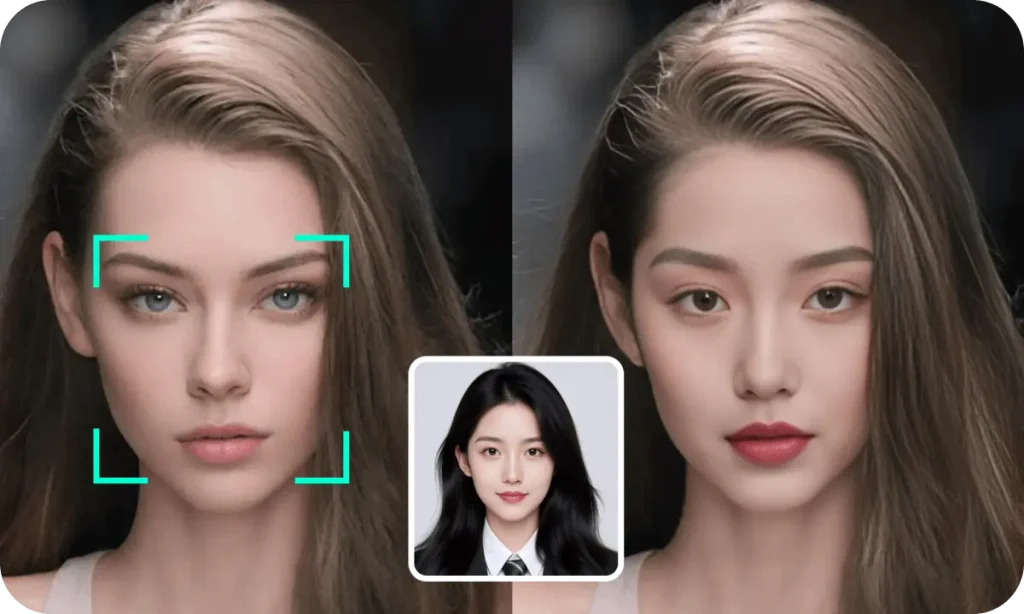
It depends on the job.
If you want quick mobile entertainment, Reface is a natural starting point.
If you want a simple browser workflow, Remaker AI or Vidnoz are worth testing.
If you want more local control and don’t mind technical setup, FaceFusion is an interesting option.
If you’re creating professional marketing or business content, AKOOL is worth investigating.
If your main requirement is video face replacement, DeepSwap and other dedicated video tools can be useful starting points.
And if you’re experimenting for the first time, don’t pay immediately.
Use a short test project first.
The most important thing I’ve learned from working with AI face-swap tools is that the “best” result doesn’t necessarily come from the tool with the longest feature list. A good source image, matching lighting, a sensible face angle, and a short test before a full render can make a bigger difference than switching between ten different AI platforms.
AI face swapping has become much easier than traditional manual face replacement, but it still isn’t magic. You get the best results when you treat it like an editing tool rather than a one-click solution.
Start small, compare the actual outputs, and choose the workflow that gives you the result you can genuinely use.