
Last year one of my clients asked me a question that stuck with me: “Which AI tool should I actually buy?” She ran a small café-lounge business, was drowning in customer messages, ad creative requests, and a to-do list that never shrank. My honest answer was, “I don’t know yet; give me a week.” So I spent that week testing tools on her actual business instead of guessing from a features page.
That’s basically become my process anytime someone asks me this now. And after doing it for enough clients—retail brands, a food business, a couple of service providers—I’ve noticed the same pattern every time. Business owners don’t need more tools. They need the right two or three, chosen for an actual bottleneck, not because a tool looked impressive in a demo video.
So instead of dumping a huge list on you, I want to walk through what I’ve actually seen work, where I’ve seen businesses waste money, and how I’d choose if I were starting from zero today.
The Mistake Almost Everyone Makes First:
Nearly every client I’ve worked with makes the same move: they sign up for three or four AI tools in the same week because a LinkedIn post convinced them AI was the answer to everything. Two months later, half those subscriptions are sitting unused, and nobody remembers the login.
I did this myself early on too. I subscribed to a “content operations platform” because it promised to handle my writing, scheduling, and analytics in one place. In practice, I used maybe 15% of what it did, and it cost more than three specialized tools combined would have.
The fix that actually worked: pick ONE bottleneck first. Not five. One. Then find the tool built specifically for that job.
Where AI Actually Saved Real Hours:

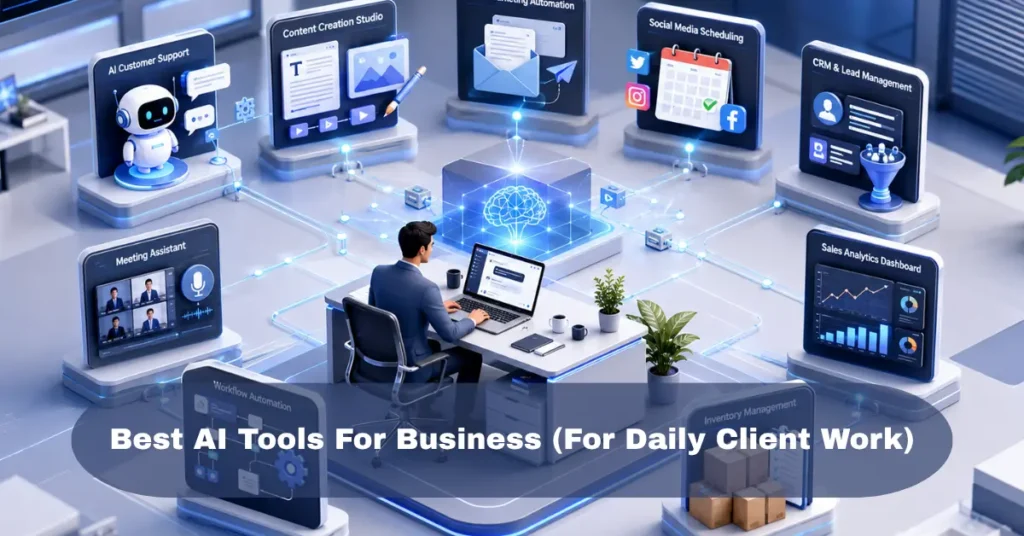
Customer messages and support questions:
The café-lounge client was getting the same booking and hours questions over and over on her Facebook page. We set up a simple chatbot tool (Tidio, in her case) to answer the repetitive stuff automatically and hand off to her only when it got complicated—a custom order, a complaint, anything needing judgment.
Within a month, her response time on simple questions dropped from hours to seconds, and she wasn’t glued to her phone every evening answering “What time do you close?” for the fortieth time that week.
Ad copy and content drafts:
For ad campaigns, I lean on ChatGPT heavily for first-draft headlines and ad variations. Not the final copy—the starting point. I’ll feed it product details and ask for ten angles, then rewrite the two or three that actually sound like the brand instead of a generic ad template.
I made an expensive mistake here once, worth repeating: I sent AI-generated ad copy straight to a client’s campaign without checking it closely enough, and it made a product claim that wasn’t technically accurate. Meta flagged the ad, and we lost two days of campaign momentum fixing it. Now everything gets a human read-through before it goes anywhere near a live campaign, no exceptions.
Video and creative turnaround:
For short-form ad creatives, CapCut’s AI tools—auto-captions, background removal, and smart trimming—cut my editing time down noticeably for quick client turnarounds. I still use DaVinci Resolve for anything needing real color or audio work, but for a same-day Instagram Reel, CapCut wins on speed every time.
Same caution as with copy, though: auto-captions get brand names and specific terms wrong constantly. I’ve caught a product name spelled wrong in a client’s own video before it went live. Always proofread the captions.
Scheduling and admin busywork:
This one’s less exciting but saved the most hours cumulatively. Using Zapier to connect a client’s booking form to her calendar and a Slack reminder meant she stopped manually copying appointment details three different places. Small thing, but it added up to hours back every week.
Meeting notes and follow-ups:
For clients who sit in a lot of calls (agencies, consultants), a transcription tool like Fireflies has been genuinely useful—it catches action items automatically so nothing gets lost between the call ending and someone actually doing the thing that was agreed on.
Tools That Look Impressive But Aren’t Always Worth It Yet:
Not everything lives up to the hype, and I’d be doing you a disservice not saying so. Full AI-generated video from a text prompt (tools like this exist now) is genuinely impressive to watch, but for most small business ad work, it’s still not reliable enough to replace real footage of your actual product. I tested it for a client’s promo, and the results looked close but not quite right—faces and hands especially still tend to look a little off.

Heavy-duty platforms like predictive analytics suites or automated machine learning tools are powerful, but they’re built for companies with a dedicated data team, not a business owner running things solo or with a small crew. If that’s you, skip them for now and revisit once you’ve got a team big enough to actually feed and maintain them.
How I’d Actually Pick Tools If I Were You:
- Write down your real bottleneck. Not “I want to use more ‘AI'”—an actual specific problem. “I spend 2 hours a day answering the same customer questions” is a bottleneck. “AI seems important” is not.
- Try the free plan or trial on real work, not a demo project. Use your actual customer messages, your actual ad copy, and your actual meeting. Demos always look better than reality.
- Give it two weeks before deciding. The first few days always feel clunky no matter what tool it is. Real judgment comes after you’ve used it on a handful of real tasks.
- Check what it actually saved you, honestly. Did it save real hours, or did it just create a new task of “fixing what the AI got wrong”? Be honest with yourself here.
- Never skip the human check before anything goes live. Copy, captions, chatbot responses—all of it. AI gets things confidently wrong sometimes, and your customers won’t know the difference between an honest mistake and a careless one.
A Quick Word on Cost:
You don’t need to spend a fortune to start. Most of what I’ve mentioned here—Tidio’s free tier, ChatGPT’s free plan, CapCut, and Zapier’s starter tier—can get a small business a real head start without a big commitment. Save the pricier, more specialized platforms for once you know exactly which specific bottleneck they’re solving and you’ve already outgrown the free options.
Where This Actually Leaves You:
If you’re running a business and feeling overwhelmed by how many AI tools exist right now, you’re not behind—you’re just standing at the same spot everyone else is. The businesses actually getting value out of this aren’t the ones with the longest tool list. They’re the ones that picked one real problem, tested a tool against it honestly for a couple weeks, and kept what worked.
Start there. Pick the one thing eating the most of your time this week, try one tool against it, and give yourself two weeks before deciding if it earns a permanent spot in how you run things.